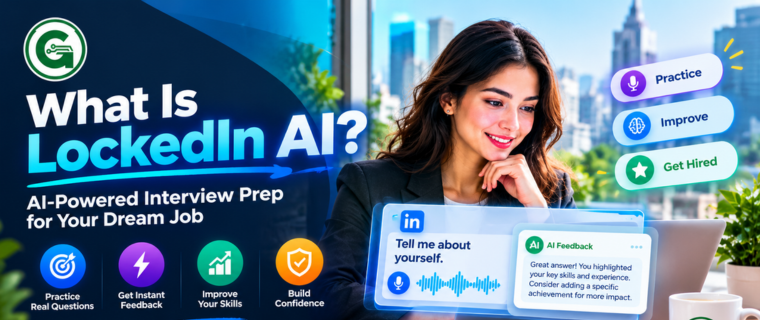
Technical interviews test more than just knowledge. They test your ability to recall specific information under pressure while maintaining a natural conversation. This pressure has led to the rise of the AI Interview Assistant, a tool designed to provide real-time suggestions during live video calls.
LockedIn AI currently stands out as a highly searched option. Job seekers want to know how it performs, what it costs, and how it compares to other tools on the market.
This LockedIn AI review evaluates the platform’s core capabilities, pricing structure, and daily performance. We also review valuable alternatives like GirGit AI to help you choose the right tool for your next technical round.
What is LockedIn AI?
LockedIn AI is a real-time AI interview helper. It captures audio from your microphone and system, transcribes the conversation instantly, and generates suggested answers on your screen. The software aims to act as a live knowledge base, preventing candidates from freezing when asked complex technical or behavioral questions.
How Does LockedIn AI Work?
The application runs alongside standard video conferencing software like Zoom, Google Meet, and Microsoft Teams. It uses speech-to-text algorithms to read the interviewer’s questions. Once a question is identified, the AI Interview Copilot processes the context and delivers bulleted suggestions. You read the points, adapt them to your voice, and answer the interviewer.
LockedIn AI Features and Benefits
Understanding LockedIn AI features is necessary before paying for a subscription. The tool targets specific pain points in the remote hiring process.
- Real-Time Transcription: Converts spoken words into text instantly, ensuring you never miss a multi-part question.
- Contextual Suggestions: Generates answers based on the specific terminology used by the interviewer.
- LockedIn AI for Coding Interviews: Provides logic hints, syntax reminders, and algorithm structures when answering system design or programming questions.
- Behavioral Question Support: Offers STAR method (Situation, Task, Action, Result) templates when interviewers ask situational questions.
LockedIn AI Pricing and Plans
LockedIn AI offers a free plan with sessions limited to 5 minutes each and up to 60 free minutes per day. Its paid plans start at $109.98 per month, while the 3-month plan costs $39.99 per month, billed every three months. Some plans include extra features such as stealth mode and remote interview assistance.
For job seekers who only have occasional interviews, a monthly subscription can be expensive. An AI Interview Assistant with pay-as-you-go pricing may be a better fit for candidates who want to pay only for the time they use.
Is LockedIn AI Legit? Accuracy and Performance
LockedIn AI is worth considering if you want real-time interview support, quick transcription, and help structuring answers. However, it may not be worth the cost if you only attend interviews occasionally or prefer a pay-as-you-go AI Interview Assistant.
Pros of LockedIn AI
- Provides real-time transcription and interview support.
- Helps organise answers to behavioural questions.
- Offers assistance for technical and coding interviews.
Cons of LockedIn AI
- Paid plans may require a monthly subscription.
- Slow internet can affect response speed.
- Reading answers word for word can make you sound unnatural.
LockedIn AI is a reasonable choice for candidates who attend interviews regularly and will use its features often. For occasional interviews, compare the total subscription cost with pay-as-you-go alternatives before paying. Use the tool to support your answers, not replace your own knowledge or practice.
LockedIn AI Installation and Setup
Setting up LockedIn AI usually takes just a few minutes. Download the software, allow microphone and system audio access, and test your audio before starting an interview. The correct setup helps the AI Interview Assistant capture both your voice and the interviewer’s voice while avoiding audio feedback.
Easy setup steps
- Download LockedIn AI: Get the software from its official website and install it on your computer.
- Allow audio permissions: Give the app access to your microphone and system audio when prompted.
- Check your audio settings: Select the correct microphone and audio output device.
- Run a test: Check that both your voice and the other speaker’s audio can be captured clearly.
- Start your interview: Once everything works properly, you can use the software during your interview.
LockedIn AI price: Check the official pricing page for current plans and costs, as prices and available features may change.
LockedIn AI for Specific Roles
Different roles require different types of support.
- LockedIn AI for Software Engineer Interviews: Highly effective for retrieving exact definitions, API structures, or database querying syntax.
- LockedIn AI for Technical Interview Preparation: Useful for running mock interviews and seeing how the AI interprets standard industry questions.
- LockedIn AI for Remote Job Interviews: Works quietly in the background, offering an invisible layer of support for remote workers.
LockedIn AI vs Other AI Interview Assistants
The market offers multiple tools, each with distinct pricing and performance models. Comparing LockedIn AI vs other AI interview assistants helps clarify the best value.
- LockedIn AI vs Parakeet AI: Both offer live transcription. Parakeet focuses heavily on simple interfaces, while LockedIn offers deeper technical coding support.
- LockedIn AI vs Final Round AI: Final Round AI targets executive and high-level behavioral interviews, whereas LockedIn provides strong utility for mid-level technical roles.
- LockedIn AI alternatives: Job seekers frequently search for affordable AI interview assistant alternatives because monthly subscriptions waste money during slow hiring weeks.
The Best LockedIn AI Alternative in 2027: GirGit AI
If you want real-time AI interview assistance without forced monthly subscriptions, GirGit AI is the direct solution.
GirGit AI Interview Assistant operates on a strict pay-as-you-go model. Instead of paying a flat $30 or $50 a month, you pay exactly for the time you use.
LockedIn AI vs GirGit AI
| Feature | LockedIn AI | GirGit AI |
|---|---|---|
| Pricing Model | Monthly Subscription | Pay-as-you-go (₹5/min) |
| Commitment | Monthly | None |
| Speed | High | High (Optimised for low latency) |
| Coding Support | Yes | Yes |
| Best For | Heavy, frequent interviewing | Occasional, targeted interviews |
Why Choose GirGit AI?
GirGit AI solves the primary complaint users have with standard AI tools for interview prep: wasted money.
Pay Only For What You Use: At ₹5/min, a standard 30-minute screening call costs exactly ₹150. You never pay for idle days. No Subscriptions: You top up your balance and use it when an interview gets scheduled. Instant Setup: Download the client, install it in minutes, and start your call.
GirGit AI is built specifically for candidates who need a reliable AI Interview Assistant Support Tool without the financial drain of recurring software fees. It provides clear, concise prompts that are easy to glance at, ensuring you maintain eye contact and natural body language.
FAQ Section
What is the best real-time AI interview helper?
The best tool depends on your billing preference. LockedIn AI is strong for those who want subscription-based access, while GirGit AI is the best pay-as-you-go option at ₹5/min, allowing you to pay strictly for active interview time.
Does LockedIn AI offer a free vs paid plan?
Most platforms offer a highly restricted free trial to test audio configuration. Full access to live answering features requires upgrading to a paid tier.
Can interviewers detect an AI Interview Copilot?
Modern interview assistants operate locally on your screen and do not interact directly with the video conferencing software. However, interviewers will notice if your eyes constantly dart off-screen or if your speaking style suddenly sounds robotic. Always use the AI for bullet points, not word-for-word reading.
Is GirGit AI a good alternative for coding interviews?
Yes. GirGit AI processes technical questions quickly and returns logical frameworks, syntax reminders, and algorithm structures, making it an excellent LockedIn AI alternative for technical interview preparation.
How does the ₹5/min pricing work?
You add a small balance to your account. When you launch GirGit AI for a live call, it deducts ₹5 for every minute the tool is actively listening and assisting. When the interview ends, the billing stops immediately.
Does the software work for online interviews on Zoom and Google Meet?
Yes. These AI Interview Assistant tools capture system audio directly from your sound card, making them compatible with Zoom, Google Meet, Microsoft Teams, and proprietary browser-based interview portals.